AI Mashup Maker
Upload two songs and let AI explore a new mix. Choose a style and optional lyrics—no DJ software or manual timeline required. Sign in to generate for 30 credits.
Your Mashup
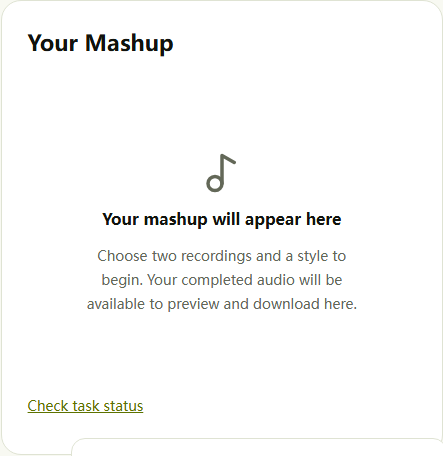
Your mashup will appear here
Choose two recordings and a style to begin. Your completed audio will be available to preview and download here.AI reinterprets your sources. It may change the original vocals, melody, and arrangement; this is not a precise vocal-and-instrumental mixer.
Audio is uploaded privately and sent to our AI provider for processing. Input copies expire after 24 hours. Uploaded audio is not published in a public gallery. Privacy
What Is an AI Mashup Maker?
An AI mashup maker uses two audio tracks as source material for a new musical result. Instead of joining the files end to end, it reinterprets elements from both tracks. Add a style direction and optional lyrics to shape your next idea. The result may change the original vocals, melody, and arrangement. Think of it as a way to explore a new composition from familiar material, rather than an editor that preserves every second of the original recordings.
Two Audio Sources, One New Direction
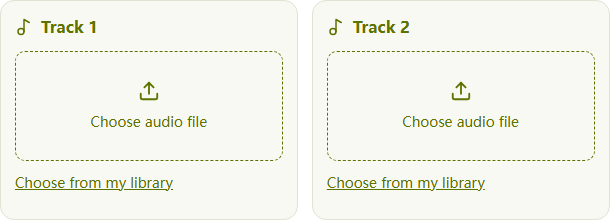
Start with two recordings you are authorized to use. Upload your own MP3 or WAV files, or choose available songs from your private library. Listen to each source first: a clear musical idea is more useful than choosing two files at random.
Guide the Musical Style
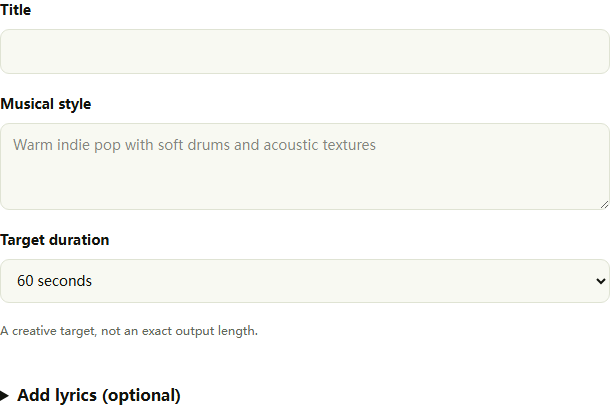
Describe instruments, mood, and energy in the style field. A focused direction such as acoustic textures with restrained electronic drums gives you a useful starting point. Avoid artist names and long lists of contradictory styles; preferences guide the AI rather than controlling every detail.
Add Your Own Lyrics
Leave lyrics blank to explore the audio sources, or provide original words for the generated version. Keep arrangement instructions in the style field. Lyrics are a creative guide, so listen for changed phrasing or omitted words before deciding whether a result suits your project.
Listen Before You Download
Preview completed audio on this page and download the result you want to keep. Judge the overall musical direction as well as individual transitions. A new generation is a separate paid attempt, so review the current result before spending credits on another version.
How to Mash Up Two Songs Online
Choose Two Audio Tracks
Select two different MP3 or WAV recordings, or pick available audio from your own library. Each file must be 20 MB or smaller under this version’s upload policy. You can prepare local files before signing in; uploading and generating require an account.
Set the Style and Lyrics
Give the project a title and describe its musical direction. Choose a target duration of 30, 60, or 120 seconds. Add lyrics only if you want to supply words to sing. Use recordings and text you have permission to use.
Generate, Listen, and Download
Check the 30-credit price and start generation. Credits are reserved while the task runs. When the completed result has been saved, preview and download it here. A confirmed failure releases the reservation; a task still being checked should not be submitted again.
Mashup Ideas for Beginners, Demos, and Short Videos
Make Your First Mashup without DJ Skills
Start with two clear recordings and one musical direction.
No DJ skills are required to start. Pair recordings from your own writing sessions, choose one mood, and describe a few instruments to explore a different arrangement. One demo might suggest a mood while another offers rhythmic energy. You are asking the AI to reinterpret the material, not selecting exact sections to copy. Keep the original recordings so you can compare what changed.
Explore Cross-Genre Ideas
Use a clear style direction to connect contrasting sources.
Try two authorized recordings with different textures, then describe the sound you want to explore. Choose a few compatible instruments and a single mood instead of stacking many genre labels. If the result feels crowded, simplify the style or choose a less busy source for the next attempt.
Create a Musical Sketch for TikTok or Shorts
Build a musical sketch around the feeling of a scene.
Use your own recordings to explore music for a TikTok, YouTube Short, opening, or transition. Download the audio and add it in your video editor; this page does not export video or publish to social platforms. Target duration helps frame the idea but does not guarantee an exact cut length. Preview the entire result and check the rights to the sources before using it in a published project.
Choose a Mashup Workflow That Fits Your Goal
Start with Audio You Already Have
Bring two authorized recordings or revisit available audio in your library. You do not need to begin with a blank composition, and your inputs remain separate from the generated result.
AI Generation or Precise Audio Editing?
Work through two sources, a style, optional lyrics, and a target duration. There is no multi-track timeline to configure. Use a dedicated audio editor when exact timing, stem routing, or preservation of original recordings matters.
See the Cost Before You Generate
Each new generation costs 30 credits. The price appears on the button before submission. Playback and downloading a saved result do not start another generation, and confirmed failures do not consume the reserved credits.
Mashup Maker FAQ
How does this AI mashup maker work?
Choose two audio tracks and describe the musical style you want. The AI uses both recordings as source material to generate a new version. It does not simply join the original files together, and the new arrangement may differ from both sources.
Can I upload two songs and let AI combine them automatically?
Yes. Upload two different MP3 or WAV files, enter a title and musical style, choose a target duration, and select Create Mashup. The AI generates a new interpretation from both sources. You do not have to align tracks manually, but the result may change voices, melodies, and timing rather than preserve an exact overlay.
What is the best free music mashup maker online?
The best fit depends on your goal: an AI generator for a new interpretation, a stem mixer for vocals over a specific beat, or an audio editor for exact timing. Compare input support, editing control, download access, signup requirements, and the cost of retries. This tool charges 30 credits per generation and accepts eligible promotional credits; it is not an unlimited free service.
How do I make a mashup without DJ skills?
Start with two clear recordings that share a mood or similar rhythmic feel. Give the style field one focused direction, such as warm acoustic pop with soft drums, and leave lyrics blank unless you want to provide words to sing. Generate, listen to the whole result, then decide whether to change the sources or style for another 30-credit attempt. No manual beatmatching is required to submit a task.
Is this a RaveDJ alternative for combining two songs?
If you are exploring alternatives to RaveDJ, this tool offers a two-file AI generation workflow with style direction and optional lyrics. Choose it when you want a new interpretation of recordings you can upload. This page does not accept streaming links, offer a DJ timeline, or guarantee preservation of original performances. Compare those requirements and the 30-credit price before choosing a workflow; this is not a tested ranking of competing services.
How do I match two songs with different BPMs?
For a precise overlay, use an audio editor to measure tempo, time-stretch one track, and align downbeats. Listen for drifting rhythm and clashes in key, and adjust the source pair if needed. This AI mashup maker has no BPM readout, tempo-lock, key-shift, or manual beat grid. You can describe a rhythmic feel in the style field, but it is a creative preference rather than an exact BPM setting.
What is the difference between a mashup and a remix?
A mashup typically combines elements from two or more songs. A remix typically reworks a song by changing its arrangement, production, or other elements. The terms can overlap. Here, two recordings guide a new AI-generated result, so it may sound more like a reinterpretation than a traditional overlay of the original recordings.
Can I make a music mashup for TikTok?
You can generate an audio idea, download it, and add it to your TikTok edit using a video editor. Try a 30-second target for a short sketch, then trim the actual result to your edit. Target duration is not an exact length guarantee. Check that your source and output permissions cover the intended social or commercial use; generation does not provide platform clearance.
Can I upload my mashup to YouTube legally?
That depends on your rights to the recordings, compositions, any lyrics, and the generated output. Combining tracks, crediting artists, or paying for AI generation does not itself grant permission to reuse music. Obtain appropriate permissions or establish another valid legal basis before publishing. YouTube may still issue a Content ID claim or restrict a video. Review YouTube’s current copyright guidance and the relevant licenses; this tool cannot certify clearance.
How many songs can I combine?
Each generation uses two different audio sources. This page is designed for two-source creation, rather than four-track mixing or a multi-track editing session.
Can I upload my own music?
Yes. Upload MP3 or WAV files you own or have permission to use, up to 20 MB per file. This version accepts up to 20 input uploads per account in a rolling 24-hour period. Input copies expire after 24 hours.
Can I use songs from my library?
You can select available audio from your own library. If a source file has expired or is no longer accessible, select another recording or upload an authorized copy. Selecting library audio creates a temporary input copy without changing the original.
Is this mashup maker free?
Each generation costs 30 credits. Eligible promotional credits can be used when available; otherwise, you need enough purchased or subscription credits. Creating another version costs another 30 credits. Previewing and downloading an existing result do not incur a new generation charge.
Can I use this AI mashup maker for free without signup?
No. Generation requires sign-in and 30 available credits, including eligible promotional credits. You can browse the page, choose local files, and prepare settings before signing in. Uploading for processing and generating require an account. Draft recovery uses the same browser; it is not a cross-device backup.
Can I add my own lyrics?
Yes. Lyrics are optional. Put musical direction in the style field and the words you want sung in the lyrics field. Lyrics guide generation but do not guarantee that every word will be reproduced exactly. Only submit text you are authorized to use.
Will it keep the original voices and melodies?
Not necessarily. AI generation may reinterpret voices, melodies, and arrangements. This tool does not promise voice cloning or lossless preservation of the original performances. Use an audio editor when you need precise control over existing recordings.
Can I combine one song’s vocals with another song’s instrumental?
You can use two authorized audio sources, but this tool does not offer separate vocal and instrumental routing. It cannot guarantee that exact combination. Both inputs are treated as source recordings, not assigned to vocal and backing-track roles.
Can I paste a YouTube or Spotify link?
This version accepts local audio files and available tracks from your own library. It does not import music from streaming-service links. Downloading or accessing a track elsewhere does not automatically grant permission to reuse it.
What happens if generation fails?
Thirty credits are reserved when the task is accepted and charged after all returned audio has been saved for delivery. A confirmed failure or the two-hour delivery timeout releases the reservation under the credits’ original expiry rules. If the status is still being checked, wait for it to resolve before starting another generation.
Can I download and commercially use my mashup?
You can download a successfully delivered result. Commercial use depends on the rights to both source recordings and the applicable terms for your output. Paying for generation does not grant rights to someone else’s music. Free-credit-only files without an active paid subscription are stored for 30 days; eligible paid files have no automatic expiry.
Ready to Give Two Tracks a New Direction?
Choose your sources and explore a new musical idea. 30 credits per generation · Sign in to generate