MIDI to MP3 Converter
Turn your MIDI notes into a playable MP3. Choose piano or strings; your file stays on your device.
FREE · LOCAL PROCESSING · TWO SOUNDS
.mid / .midi · up to 2 MB · 5 minutes · no drum tracks
Free, no credits. Sign-in required. MIDI and audio stay in your browser; only your login session is checked with our server.
Lightweight synthesized sounds for sketches and practice. All tracks use your selected sound. Tempo changes and note velocities are preserved; sustain pedal, pitch bend, effects and original instrument assignments are not reproduced. Drum tracks are not supported.
Choose the right sound for your MIDI
MIDI contains notes and performance instructions, not recorded audio. Converting it to MP3 means playing those notes through an instrument and saving the sound. The instrument matters: the same MIDI can sound different in another player.
This free online converter makes listening copies with lightweight synthesized piano or strings. It is suited to melodies, practice parts and songwriting sketches, rather than realistic acoustic performances or a faithful full-band mix. Choose a sound, render in your browser and listen before downloading. Keep your original MIDI for editing; share the MP3 when someone just needs to hear the part.
Piano for a clear melodic reference
Piano gives notes a clear attack and a fading tail. It is useful for checking where a melody enters, hearing repeated notes and listening to chord changes. Every pitched track uses this synthesized sound, so the result is a reference for the notes rather than a recreation of your original piano plugin.
Strings for sustained phrases
Strings uses a softer attack and a longer release. Try it for held chords and connected phrases where you want to hear how notes overlap. Short notes may feel less percussive than on piano. Changing the sound does not rewrite the MIDI notes, but you must render again to hear the new result.
How to convert MIDI to MP3 online
Choose your MIDI
Export a .mid or .midi file from your notation software, DAW or MIDI editor, then choose it here or drag it into the file area. Check that it is within 2 MB and 5 minutes. This version accepts pitched material without a drum track. Selecting a file prepares it in your browser; it does not upload it or start conversion automatically.
Choose a sound and render
Select Piano or Strings and click Render MP3. If you are signed out, complete sign-in and return to the tool; your selected file and sound are restored in the same tab. Click Render MP3 again to start. The progress indicator follows rendering and encoding. You can cancel and try again without spending credits.
Listen, then download
Play the finished audio and listen to its opening, transitions and ending. Choose Download MP3 when you are happy with it. To compare the two sounds, download the first result, select the other sound and render again. Changing the file or sound clears the previous result, so save any version you want to keep before continuing.
Why use this browser MIDI converter?
Keep the workflow focused on a playable reference: choose your notes, choose one sound, and save the audio. No extra music generation is involved.
Local file processing
Your browser reads the MIDI and produces the audio. Neither file is uploaded for conversion, and the result is not stored in your account library. The website still checks your login session before rendering.
Two sounds, less setup
Piano and strings are synthesized locally. There is no large sampled instrument library to download or custom SoundFont to configure. Choose the sound that helps you hear the musical idea, rather than browsing dozens of presets.
A familiar listening format
The output is a 44.1 kHz, 192 kbps mono MP3. It is convenient for a rehearsal reference or a songwriting draft. It is not a multitrack project, a lossless master or a replacement for the original MIDI.
From a MIDI sketch to something you can share
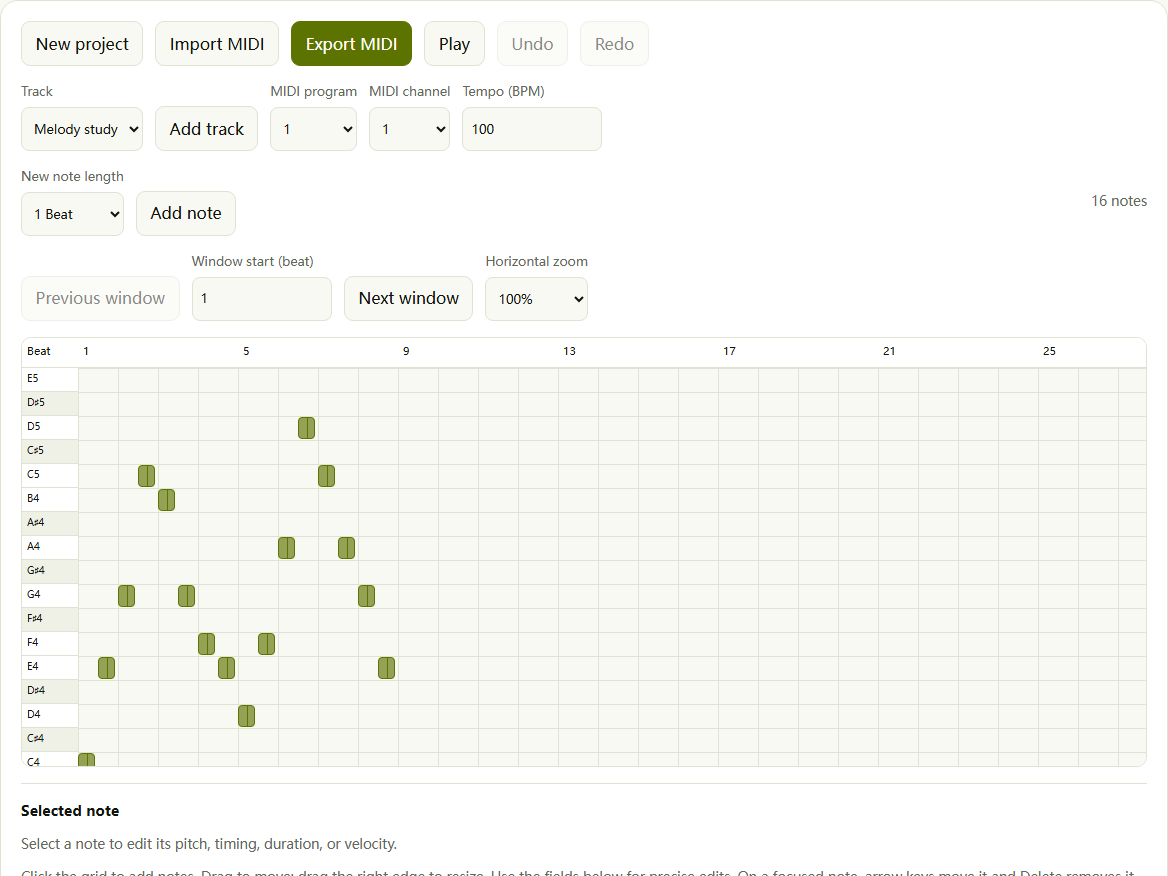
For songwriters: check the notes first
Start with a phrase you can still edit.
Open your MIDI in the MIDI editor, check pitches and lengths, then export the revised file before converting. The screenshot shows an example melody in that separate tool. This converter renders the file you give it. Share the MP3 to discuss a hook or chord idea, while keeping the MIDI for revisions.
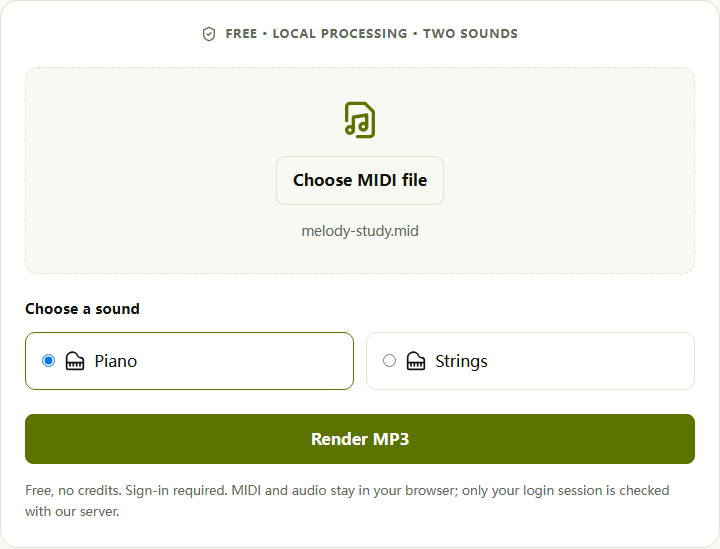
For arrangers: compare piano and strings
Hear the same phrase with a different emphasis.
A piano attack can expose a crowded rhythm; sustained strings can reveal overlapping notes. Render the same MIDI with each sound and compare phrasing and harmony. The screenshot shows the actual sound controls. One choice applies to all pitched tracks, so this comparison checks musical ideas rather than recreating separate instruments.
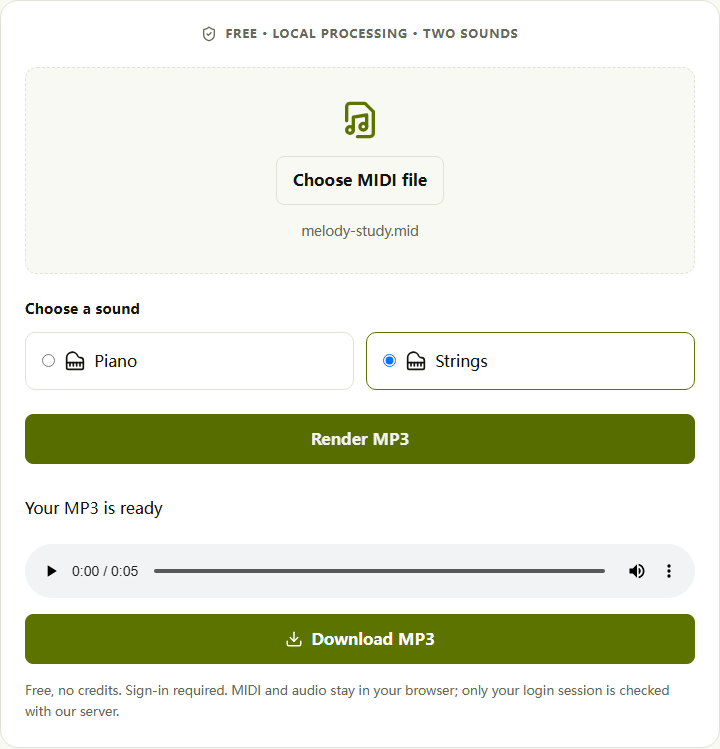
For practice: take a listening copy with you
Preview here, then save to your own device.
Listen through the browser player, download the MP3 and use your preferred player for practice. Set tempo changes in the source MIDI first; this page has no speed control. The screenshot shows a real conversion of our example melody with playback and download available. Save the result before refreshing or leaving.
MIDI to MP3 FAQ: sound, privacy and limits
Is this MIDI to MP3 converter free without signing up?
Conversion, preview and download are free and use no credits, but sign-in is required to render. You can select a file and sound first. After signing in in the same tab, your selection is restored; click Render MP3 to continue. Free does not mean registration-free.
Can I convert .mid and .midi files online without installing software?
Yes. Choose either extension in this browser tool, select Piano or Strings, then render and download. No desktop music software is required. The file must contain standard type 0 or 1 MIDI with PPQ timing. Renaming another file to .mid or renaming MIDI to .mp3 does not convert its contents.
Can I get realistic piano sounds or the best sound quality?
This tool offers lightweight synthesized piano and strings, not sampled acoustic instruments. Piano is useful for checking notes and rhythm, but it will not reproduce a recorded grand piano. For a realistic performance, render with your preferred sampled instrument in a DAW. Judge sound by listening, not by the MP3 bitrate alone.
Can I preview the audio and change instruments before downloading?
Yes. Choose a sound before rendering, then play the completed MP3 in the page player before saving it. To compare piano and strings, render each separately. One sound applies to every pitched track. Changing the sound clears the previous result, so download any version you want to keep first.
Will it preserve my instruments, tempo changes and drums?
Note timing, tempo changes and velocities are preserved. Original instrument assignments are replaced by your chosen sound; sustain pedal, pitch bend and effects are not reproduced. Files with drum notes on channel 10 are rejected, rather than silently losing percussion. Export a pitched-only MIDI, or render the full arrangement in its original DAW.
Why does my MIDI sound different after conversion?
MIDI stores performance instructions, not the sound of the instrument that originally played them. A different synthesizer changes attack, sustain and tone even when the notes stay the same. This converter also uses one sound for all tracks. To match your original mix, use the same instruments and effects that created it.
Can I upload my own SoundFont or choose other instruments?
No. This version has two built-in synthesized sounds: piano and strings. It does not load custom SoundFonts, sampled libraries or per-track instruments. For an orchestral mockup or a specific piano library, use a MIDI player or DAW that supports your chosen sound source.
Can I export 320 kbps MP3 or WAV instead?
Output is fixed at 192 kbps, 44.1 kHz, mono MP3. There is no 320 kbps, stereo or WAV option. MP3 is convenient for listening and sharing; choose a lossless WAV export in your music software when you need audio for further production. Increasing bitrate would not make a synthesized instrument more realistic.
What are the file size and length limits?
Each MIDI can be up to 2 MB and 5 minutes, with at most 32 tracks and 10,000 notes. Combined note duration must stay within 30 minutes: overlapping notes each count toward that total. The output adds a short release tail. Split longer or denser arrangements in your MIDI editor before converting.
Can I convert without uploading my MIDI to a server?
Yes. MIDI parsing, sound synthesis and MP3 encoding happen in your browser. Neither file is sent to our servers for conversion or saved in your account library. The server checks your login. For sign-in recovery, your selection is temporarily kept in this tab’s session storage and removed from that storage after restoration.
How do I convert MIDI to MP3 on iPhone or Android?
Open this page in your phone’s browser, choose a MIDI from your files, sign in and render. Use the player to check the result, then download it. Keep the tab open during conversion. Browser support and available memory vary; if rendering fails on your phone, try a smaller MIDI or a desktop browser.
Can I convert multiple MIDI files at once?
No. Convert one file at a time and download its result before choosing the next file. Selecting another file clears the current audio. There is no batch queue or automatic account storage, so save each MP3 to your device before leaving or refreshing the page.
Why is the MP3 silent, incomplete or failing to render?
Check the player volume and confirm that your source contains playable notes. Empty MIDI files and drum tracks are rejected. Missing instrument colors may reflect the single-sound rendering, rather than missing notes. If conversion fails, check the file limits, retry with a short pitched passage, then try another browser. Keep your original MIDI for comparison.
Give your MIDI a sound
Start with your own MIDI, choose piano or strings, and make a listening copy. Preview the result before downloading, and keep the source file for future edits.