How to Find a Song Without Knowing Its Name: 7 Methods
Find an unknown song using an audio file, humming, lyrics, video credits, or remembered clues. Learn which method fits your clue and what to try when recognition fails.
Choose a method based on your clue
“What song is this?” can mean several different problems. A recording contains the sound itself. A hummed tune contains your recollection of the melody. A lyric fragment gives you words to search. Choosing the right input saves you from repeatedly asking an audio recognition tool to solve a text or melody problem.
| What you have | Start here | What to watch for |
|---|---|---|
| A saved MP3 or WAV recording | Upload it to Song Finder | This site accepts audio files up to 10 MB and requires sign-in |
| Music playing nearby or in an app | Shazam audio recognition | Use the actual recording, not a description of it |
| A tune you can hum | A search feature that accepts humming | A hummed melody is a different input from recorded music |
| One or two remembered lines | A lyrics text search | Exact quotes help only when the wording is right |
| A TikTok, YouTube video, or Instagram Reel | Music credits, captions, and the source audio information | A credit may name the original song rather than the exact edit |
| A remembered video, voice, or era | Combine descriptive clues | Treat search results as candidates to check |
| A rare recording that remains unidentified | Ask the source or a music community | Give a specific timestamp and useful context |
You do not need to try all seven methods. Start with the strongest clue, then switch methods if the result does not fit.
1. Upload a saved audio recording
If the song is already in a file on your device, an upload tool is a direct starting point. Our free Song Finder looks for a matching song title and artist from one MP3 or WAV file, up to 10 MB. It runs in your browser without a dedicated app, but you must sign in before identification starts. It does not spend your generation credits.
Prepare the file and check the preview
- Open Song Finder and choose your audio file.
- Listen to the preview. Check that the file contains the actual music you want to identify.
- Select Identify song. If prompted, sign in, return to the tool, and review your selection before submitting it.
- Read the possible match and compare it with the recording you heard.
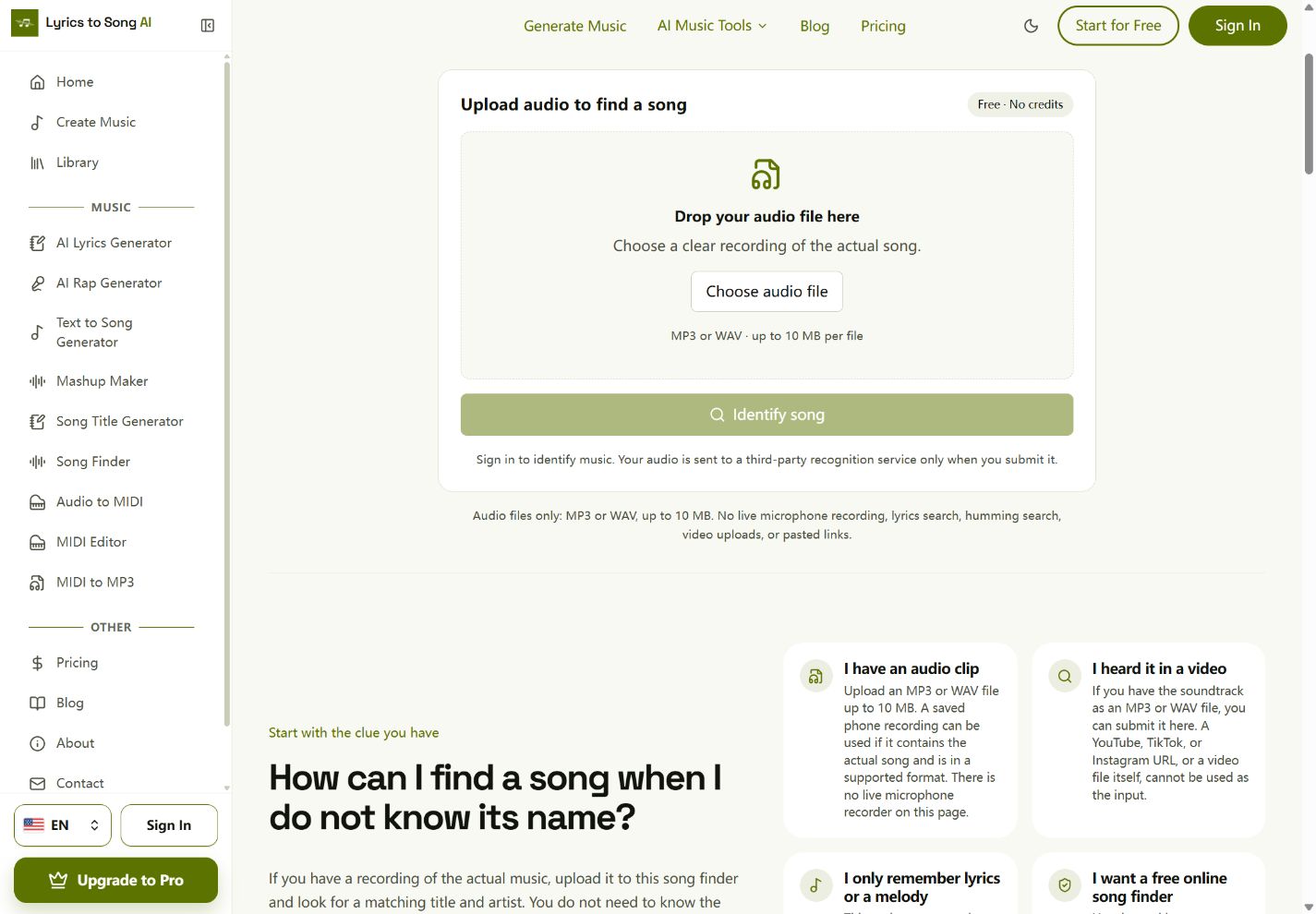
A phone recording can be a useful input, but a voice memo saved in another format needs conversion before upload. Changing its filename from .m4a to .mp3 does not convert it. This page does not convert, trim, extract, or record audio through your microphone.
Review the match before accepting it
A successful response shows a title and artist. Album information, cover art, and a listening link appear when the service returns them. Follow the listening link when available and compare the voice, arrangement, and version. A title match alone does not establish which remix or live performance is in your file.
There is no guaranteed minimum clip length or success rate. A five-second fragment might not contain enough recognizable music. If you have a longer clear passage, try that within the upload limit. Choose a section with less talking and silence; the tool does not remove background noise.
Each account can submit up to three requests per minute and ten per rolling 24 hours, with shared service limits as well. Submitted audio passes through our server to a third-party recognition provider. We do not put it in your library or audio storage; see the privacy explanation before submitting a sensitive recording.
2. Identify music that is playing with Shazam
For a song you can play again, use a listening-based recognition workflow. Apple's Shazam instructions describe identifying music playing around you or in another app on an iPhone, iPad, or Android device.
Open the Shazam app and use its identification button while the recording plays. Allow the permissions requested for that workflow. Review the returned track, then listen to check it. Exact controls depend on the device and app version, so follow the instructions for your platform.
This is a useful distinction from our file-upload tool: you do not need to prepare an MP3 when you are using Shazam to listen to a playing recording. It also does not mean our Song Finder can listen through your microphone or inspect another app.
3. Search by humming a remembered melody
If you cannot play the original recording but can remember its tune, use a feature designed for humming. A recollection sung into a microphone should not be treated as the original recording.
Google's Android song-search instructions describe opening the Google app, tapping the microphone in the search bar, and choosing Search a song. You can then hum, whistle, or sing the melody. Availability and controls can differ by device; use the supported app workflow rather than assuming any browser search box accepts humming.
Start with the melody you remember most clearly. Listen to candidate songs instead of accepting the first suggestion. If you remember only a drum beat, add other clues such as the language, instruments, or where you heard it.
Our audio finder does not provide humming, whistling, or sung-melody search.
4. Search the lyrics you remember
A distinctive phrase can be more useful than a general description such as “a happy pop song.” Write down the words you remember before trying to fill in the missing parts.
For example, this invented line illustrates a search query; it is not a lyric from a song we have identified:
"paper lanterns above the last train" lyricsUse quotation marks when you are confident the phrase is exact. If the results are unhelpful, remove the words you may have misheard, try an alternate spelling, or add a clue such as the language or an approximate era. Keep a small list of plausible candidates and listen to their choruses.
Do not repeatedly search an uncertain line as an exact quote. You may be excluding the correct song because one word is wrong. Our Song Finder does not accept typed lyrics, so use a text-search workflow for this method.
5. Check the source of a video or social post
Before extracting or uploading anything, look for an existing music credit. On a short video, inspect the displayed audio label, caption, description, and useful comments. A label such as “original audio” is a clue about the upload, not proof that the uploader composed the music.
On YouTube, expand the description and look for a Music section. YouTube's help page explains that this information appears on some videos and may include song and artist names. Its absence does not establish that the music is unidentified or unlicensed.
If the credit is missing, try a recognition tool while the video plays, or use a supported audio file you already have. Our tool accepts neither a YouTube, TikTok, or Instagram URL nor a video upload. It does not download a linked video or extract its soundtrack.
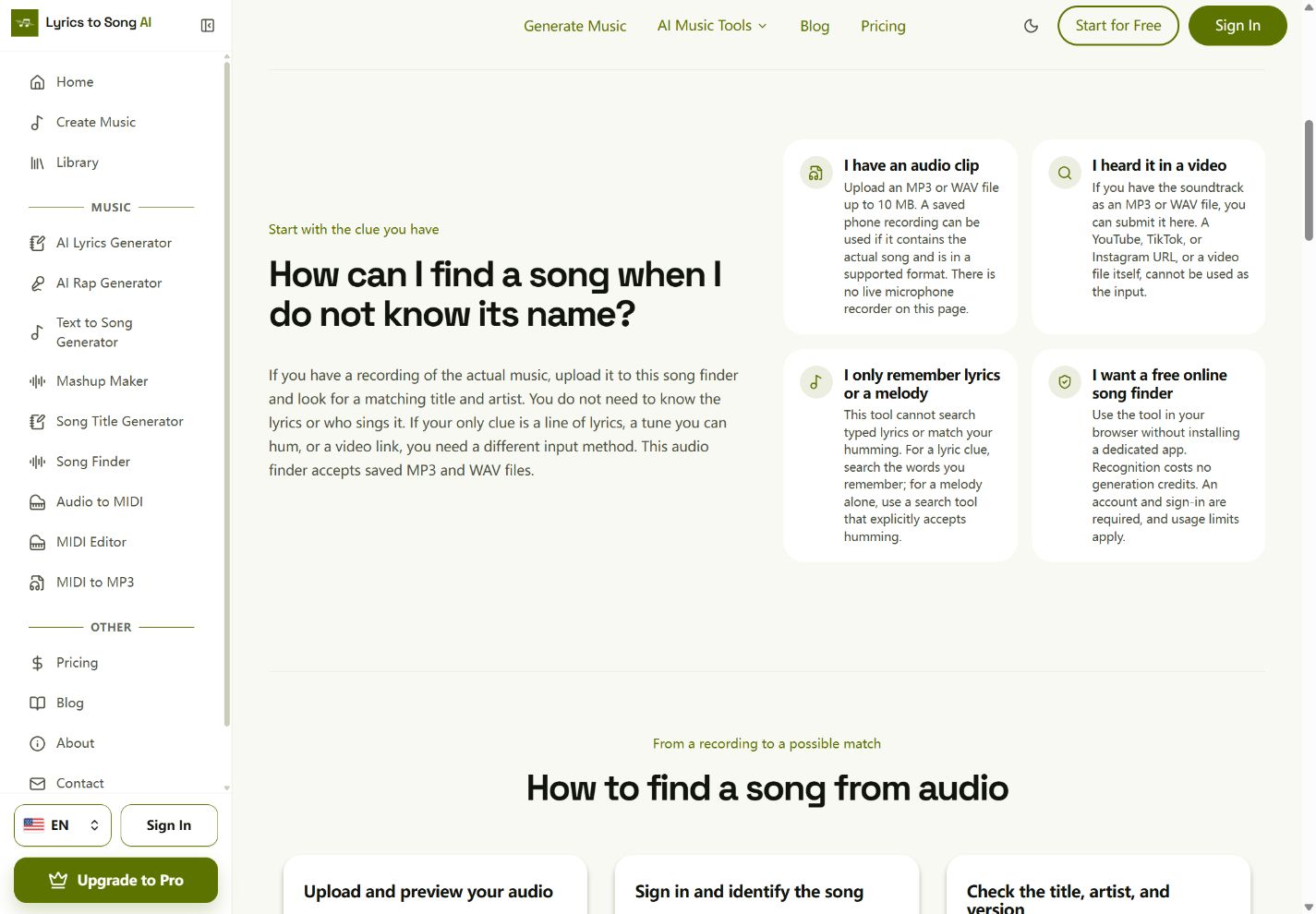
For a sped-up, slowed-down, or remixed clip, check whether the returned song has the same performance and arrangement. Recognition may identify a related release without identifying the exact edit. If you can find the unaltered source, compare it too.
6. Combine clues about the singer, video, or setting
When the audio and words are unavailable, make the description specific enough to test. Separate what you actually remember from guesses.
Useful clues include:
- Where and roughly when you heard the song.
- Its language and the approximate era in which you encountered it.
- Distinctive instruments or vocal characteristics.
- A recognizable music-video scene, film scene, or advertisement.
- Whether you heard a full song, a cover, or a short social-media edit.
An example query might be: “music video singer on an empty train platform piano chorus around 2014.” Change one uncertain clue at a time. The year you heard a song is not necessarily its release year.
You can also ask an assistant to help organize these clues into search queries. Any suggested song is a lead to verify, not a confirmed identification. A vague mood or genre rarely establishes one unique answer.
7. Ask the uploader, performer, or a music community
For a rare recording, the person who posted or performed it may have information that a recognition service cannot return. Ask a specific question rather than “Does anyone know this song?” without context.
A useful request could look like this:
I am looking for the music at 01:12 in this publicly available video.
It has a piano intro and an English vocal. I heard it around 2018,
but I do not know the release year. The description has no music credit.
Audio recognition returned no match. Is there a title or performer credit?
If you ask a music community, read its posting rules and give the relevant timestamp, source, and clues. Share a recording only when you can do so appropriately, and avoid including private conversations. Check suggestions by listening rather than treating an upvote as proof.
What to do when recognition returns no match
First distinguish no match from a request that never completed. A file-format error, an upload limit, a service outage, or a usage-limit message needs the action described in that message. Repeating the same upload will not fix all of them.
For a completed search with no match:
- Try a clearer passage with less dialogue, silence, or distortion.
- Use more of the actual music if the first fragment was very short.
- Consider whether you have a cover, live version, or altered-speed edit.
- Switch to lyrics, melody, or source-credit clues if the recording remains unrecognized.
We cannot diagnose another service's failure from our page. We also cannot determine whether a track is AI-generated, original, unreleased, or absent from every music catalog simply because it returns no match. Identification is not a copyright or originality check.
Frequently asked questions
Can I find a song without knowing its name or artist?
Yes, you can search using another clue: the recorded audio, remembered melody, words, or source. For a saved supported file, find a song by audio; for lyrics or humming, choose the corresponding search method above. None guarantees a match.
Is there a free online song finder with no app installation?
Our Song Finder runs in the browser and charges no generation credits. It requires sign-in, accepts MP3/WAV files up to 10 MB, and has usage limits. Free does not mean anonymous or unlimited.
Can I find a song from five seconds of audio?
You can try a supported file, but we have not established a reliable five-second or minimum-length guarantee. A longer, clearer passage may be a better next attempt. Keep it within the file-size limit.
Can a song finder identify AI-generated music?
Do not assume it can or cannot based only on how the song was made. Our tool does not detect AI generation or establish catalog coverage. A match is a possible recording identification; no match is not evidence that a song was generated by AI.
Does finding the song let me download or reuse it?
Our tool does not supply downloads of the identified recording. A result or listening link is not permission to reuse the music. Identification and creating a new song are separate tasks.
Find the recording, or start a different creative task
If you have the audio, open Song Finder and upload your recording. Check the match before deciding you have found the exact version.
If your aim is instead to name an original song, try the song title generator. If you wrote lyrics and want to hear them as new music, read how to make AI sing your own lyrics and explore Lyrics to Song AI. Those creation tools do not recover an unknown song or reproduce the recording you are trying to identify.
Find a song from your audioBest Free AI Mashup Makers in 2026: 6 Tools Compared
Compare six music mashup workflows by free access, signup, stem control, and downloads. Learn how to mix two songs and when AI generation is a better fit.
How to Write Song Lyrics: A Complete Beginner's Guide (2026)
Step-by-step guide to writing song lyrics for beginners. Master theme, structure, rhyme schemes, hooks, and editing — then turn your lyrics into a real song with AI.
On this page