Lyrics-to-Song AI Tools Compared: Suno and Two Alternatives
Compare custom-lyrics workflows, free access, downloads and commercial-use policies across three AI song tools, with official sources and a practical evaluation checklist.
The best tool for your lyrics depends on what you need after generation. Someone exploring a chorus may prioritize a simple first attempt; someone delivering a client track needs suitable download access, permissions and editing control.
Checked October 31, 2026. This is a comparison of published features and policies, not a listening test or a ranking of vocal quality. We publish Lyrics to Song AI and include our own product. Competitor details below come from the linked official pages; plans and policies can change.
Compare the whole task, not just the Generate button
Before choosing, write down your requirements: existing lyrics or an idea, required words, desired duration, download needs and personal or commercial use. If you already have a melody you must preserve, first confirm that the tool accepts an appropriate melody input. A genre prompt is not a musical score.
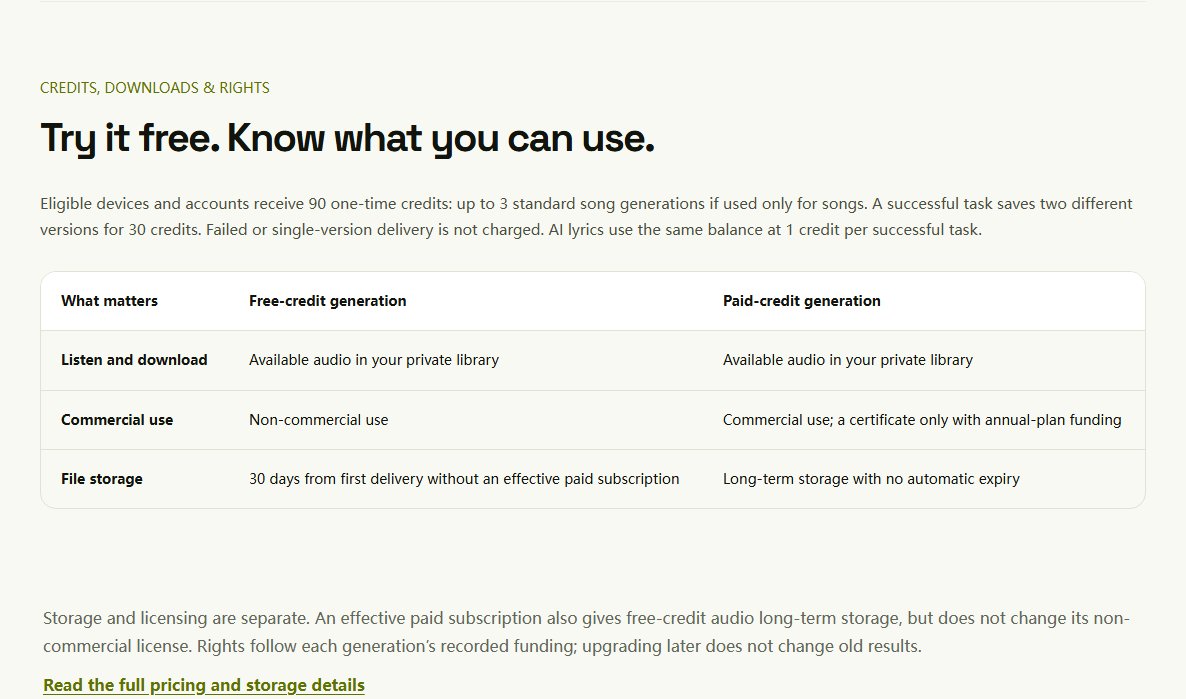
| Decision | Lyrics to Song AI | Suno | Easy-Peasy.AI |
|---|---|---|---|
| Starting from written lyrics | Homepage lyric editor; description mode also has its own Text to Song page | Custom mode accepts your lyrics [1] | Lyrics-to-song page with custom text and style templates [2] |
| Starting for free | Sign-in required; 90 one-time credits per eligible device/account, shared with lyrics generation | Free access exists; generation and download allowances are separate—check the current account offer [3] | Page advertises a free trial; verify the current plan's limits [2] |
| Download decision | Download the delivered audio from your private library while available; no selectable MP3/WAV conversion | Download limits depend on tier and eligibility [3] | Page lists MP3 and WAV downloads [2] |
| Commercial permission | Follows each generation's recorded funding; free non-commercial, paid commercial; annual funding adds a certificate | Check current terms, tier and permitted-download conditions [4] | Page describes commercial use for songs made on paid plans [2] |
| Precision to verify | No exact melody input or finished-audio word replacement in this workflow | Check the specific editing feature and its plan access | Confirm the control you need before assuming a style template provides it |
Sources: 1: Suno custom lyrics, 2: Easy-Peasy lyrics to song, 3: Suno download-policy update, 4: Suno Terms.
We have not verified competitor output formats or permissions through a paid generation. These are descriptions of their published offers, not certifications of individual results.
A current policy detail that changes the comparison
Suno's September 2026 policy changes make downloads a separate consideration from generating or listening. Its announcement distinguishes older free accounts from newer ones, so a blanket “all free accounts get seven downloads” would be misleading. Its current terms also connect commercial exploitation with a permitted download and other conditions. Read the current download notice and terms, rather than relying on an older comparison or help answer.
Do not transfer that rule to another product. Lyrics to Song AI records rights from the funding used for the generation; later upgrading does not change an old result's permission. Our commercial-use guide explains that distinction.
What the Lyrics to Song AI workflow emphasizes
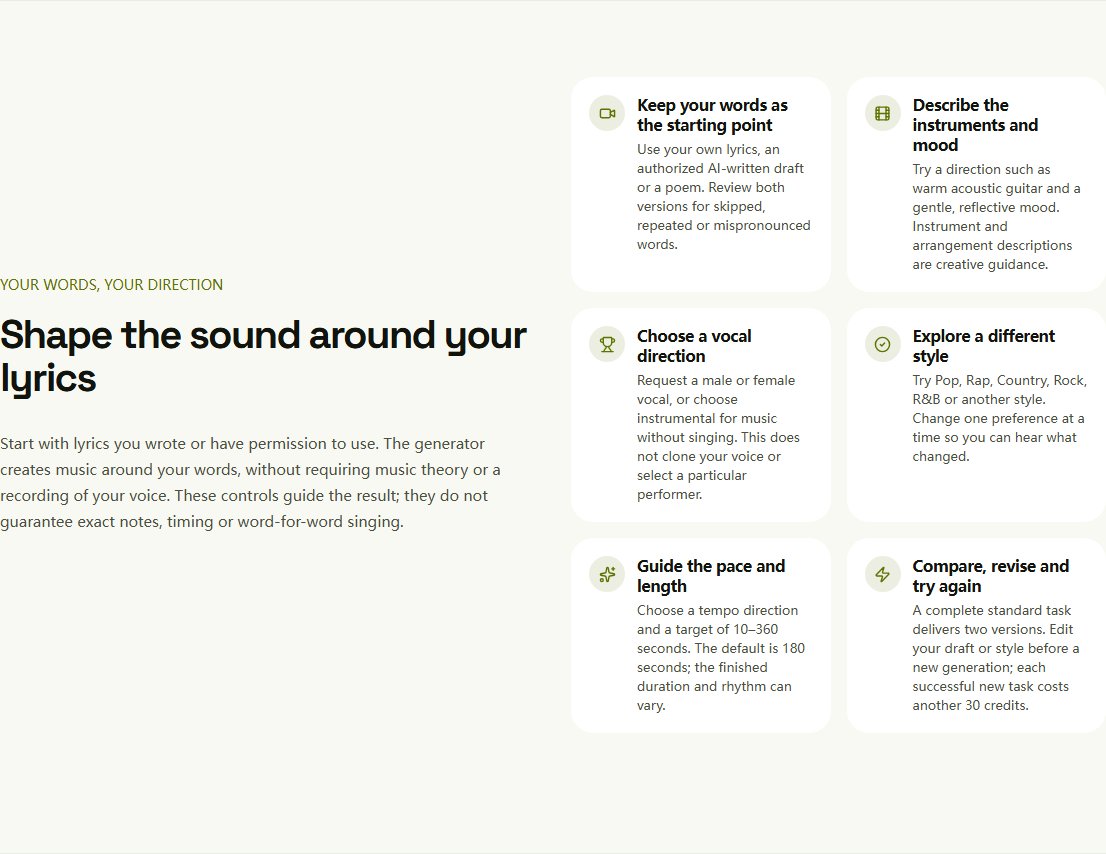
This site starts with the lyric draft. You set musical preferences, continue into the private workspace, sign in and submit. A complete standard task saves two distinct versions for 30 credits. Failed or single-version delivery is not charged. The one-time 90-credit trial covers up to three standard tasks if the balance is used only for songs; using the separate lyrics tool reduces that balance.
The benefit to assess is the workflow: can you prepare your words, understand the cost and review the results easily? Judge vocal quality by listening to complete recordings made from your own lyrics; this comparison does not establish an audio-quality advantage.
How to run your own small comparison
Use a lyric you own, with a verse, a chorus and a few words whose pronunciation matters. Keep its wording and the broad style direction the same across tools. Record every attempt you make; comparing one product's best of ten with another's first attempt is not a fair comparison.
| Listen or check for | Record a concrete observation |
|---|---|
| Lyric coverage | Which lines were omitted, repeated or changed? |
| Pronunciation | Which names or words were difficult to understand? |
| Musical fit | Did the pacing support the mood and phrase lengths? |
| Useful output | Could you download the format you actually need? |
| Revision cost | How many attempts did you pay for before keeping a version? |
| Permission | What rules apply to that exact generation and intended use? |
Keep “I prefer this voice” separate from “this version sings all the required words.” A pleasing preview does not prove language coverage or consistent quality on your lyrics. For problems in either version, use the lyric troubleshooting method.
To separate lyric accuracy, phrasing and emotional fit in your notes, use the guide to comparing how AI singers handle your lyrics. It helps you define a useful performance; the feature table above answers a different question about supported workflows.
Which starting point fits you?
- You have finished lyrics: start with a custom-lyrics workflow and compare the complete recordings. The step-by-step tutorial explains ours.
- You only have an idea: a description mode such as Text to Song avoids preparing a full lyric first. If you want to approve the words before music, use the AI Lyrics Generator.
- You have a rap verse and hook: try the rap-focused generation page to explore delivery around your words. It is a specialized entry into this site's song workflow, not another independent provider or evidence of a better model.
- You need an exact melody or surgical vocal edit: make that a selection requirement. Do not assume it is included because a product can generate a song.
- You need a client-ready file: verify permission, format and editing needs before choosing by the cheapest trial alone.
A fair choice comes from the task you can complete within your budget, not a universal “best AI” label. Check our current pricing, review the linked provider policies and, when ready, try your own lyric draft.
Can You Use AI-Generated Songs Commercially?
Understand commercial-use permission, free and paid credits, annual certificates and platform requirements before using an AI song in a video or client project.
Which AI Could Best Sing the Lyrics I’ve Written?
Compare custom-lyrics workflows in Lyrics to Song AI, Suno and Udio, then use a practical listening checklist to choose a performance that fits your words.
On this page