How to Turn a Poem Into a Song With AI
Arrange an original poem into singable phrases, choose a musical direction and review the result. A practical walkthrough that keeps your meaning in focus.
A poem can be the starting text for an AI song. You do not have to rewrite every line into a conventional pop structure: first decide what must stay intact, where a singer could pause and whether any phrase should return.
The original example below demonstrates input preparation. The screenshots show a draft in the actual interface; they are not evidence of a generated performance or a promise that the words will be sung exactly.
Start with words you can use
Use your own poem or material you have permission to adapt. Finding a poem online does not establish permission to turn it into a recording. If it belongs to someone else, resolve the input rights before generation. A tool's paid plan does not clear those rights for you; see the commercial-use guide.
Keep an untouched copy. Mark names, images or phrases whose wording matters most. If you need an exact performance of every word, allow time to review the entire song and consider a recording workflow with direct vocal control.
An original poem: “A Light at the Window”
The last bus fades beyond the hill
Your cup is cooling on the sill
I leave a little light for you
As evening turns the glass to blue

The road is quiet after rain
I hear your footsteps in the lane
Some nights a home is just a glow
That tells you where your heart can go
The central image is a light left on for someone. That gives us a possible refrain. The poem already has short phrases; there is no need to force extra words into every line just to make the sections look equal.
Arrange it without losing the meaning
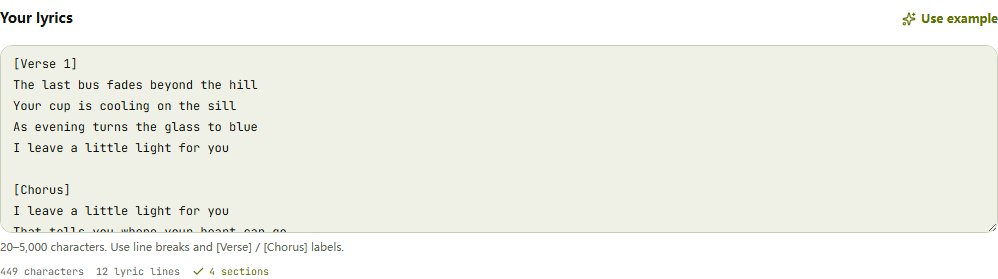
Here is one possible lyric arrangement. It retains the poem's words and repeats two lines as a chorus. That repetition is an editorial choice for this example, not a requirement for every poem.
[Verse 1]
The last bus fades beyond the hill
Your cup is cooling on the sill
As evening turns the glass to blue
I leave a little light for you

[Chorus]
I leave a little light for you
That tells you where your heart can go

[Verse 2]
The road is quiet after rain
I hear your footsteps in the lane
Some nights a home is just a glow
That tells you where your heart can go

[Chorus]
I leave a little light for you
That tells you where your heart can go
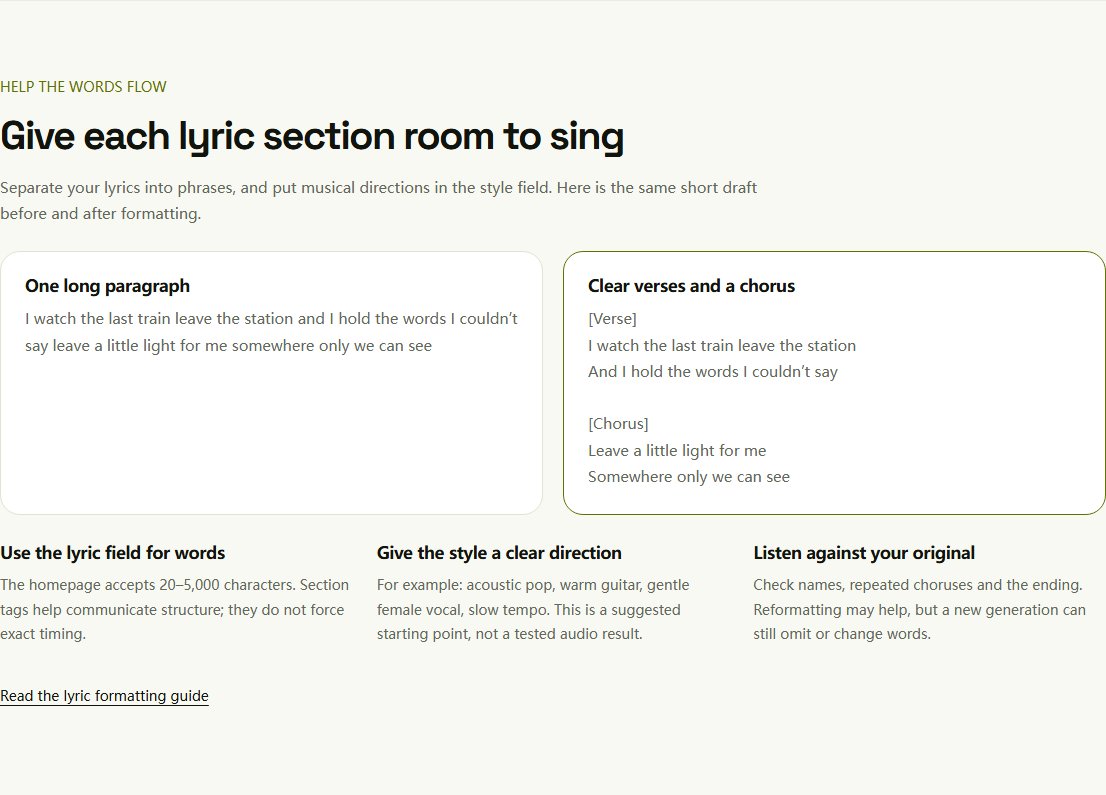
For a poem whose strength comes from continuous development, try verses without a chorus. If the poem is much longer, choose an excerpt you can use on its own rather than expecting every stanza to fit a short track. More guidance is available in the lyric formatting tutorial.
If you are willing to adapt the poem rather than preserve every word, describe its theme, images and intended structure to draft lyrics inspired by your poem. Compare the new draft with the original and make the changes yourself. The tool does not guarantee line-by-line preservation or a rewrite of only one selected passage. Skip it when you want the original wording sung.
Revisit the title after arranging the words. “A Light at the Window” still fits this example; you do not need a new title just because it becomes a song. If the adaptation shifts the focus, find song title ideas around the poem's imagery, then choose one that reflects the actual lyric. Suggestions are not guarantees of uniqueness or clearance.
Choose one clear musical direction
For this quiet scene, a starting direction could be:
Acoustic folk, warm fingerpicked guitar, gentle vocal,
reflective mood, slow tempo, restrained arrangement
This is a suggested prompt, not a tested recipe. You could instead try a spoken, rhythmic interpretation through the rap generator, but the arrangement and phrasing would be a different creative choice.
Choose a target duration that leaves room for your text. Lyrics mode supports a target of 10–360 seconds, defaulting to 180; it does not enforce an exact final length. Style and voice preferences also guide rather than dictate the performance. Uploading your own melody is not part of this workflow.
Generate, then compare against the poem
Prepare the draft on the lyrics-to-song homepage, continue to the workspace and sign in before submitting. A complete standard task costs 30 credits and saves two versions; another successful attempt costs another 30. Free trial credits are shared with the separate lyrics-writing tool. See pricing for eligibility and storage.
When audio is available, listen for four things:
- Meaning: did omission or repetition change the poem's message?
- Phrasing: do pauses support the original images?
- Pronunciation: are important words clear?
- Ending: does the last section finish the thought?
Do not choose solely by the opening ten seconds. If one version has the right mood but misses a line, note that tradeoff instead of treating it as an exact setting of the poem.
Revise with a specific purpose
If the text feels crowded, shorten an optional passage or change the musical direction. If a line disappears, review the skipped-lyrics checklist. Each new task can create a different melody; editing the draft does not edit a previously generated recording.
Download the version you want to keep while its file remains available. Without an effective paid subscription, audio funded only with free credits lasts 30 days from first delivery. Personal sharing and commercial publication need different permission checks; a private playback address is not a public share link.
Need help developing the words first? Read how to write song lyrics. Ready with your poem? Open the lyric editor.
Why AI Skips or Repeats Lyrics — and What to Try
Check missing lines, repeated choruses and pronunciation in AI songs. Learn what to change before another generation and when you need a different workflow.
Can You Use AI-Generated Songs Commercially?
Understand commercial-use permission, free and paid credits, annual certificates and platform requirements before using an AI song in a video or client project.
On this page